

You publish a blog post or create a web page, but it doesn’t rank in search results. You’re not sure what you’re missing. The problem is you don’t have a system for optimizing pages before publishing.
On-page SEO is the optimization you do to individual pages to help them rank better. A checklist ensures you don’t miss important elements that affect rankings. This article provides a complete checklist you can use before publishing every page.
What Is On-Page SEO?
On-page SEO is the optimization you do on individual web pages to help them rank in search results. It includes title tags, meta descriptions, content, headers, internal links, and technical elements on the page itself.
On-page SEO is different from technical SEO (site-wide technical issues) and off-page SEO (backlinks). On-page SEO is what you can fully control on each individual page.
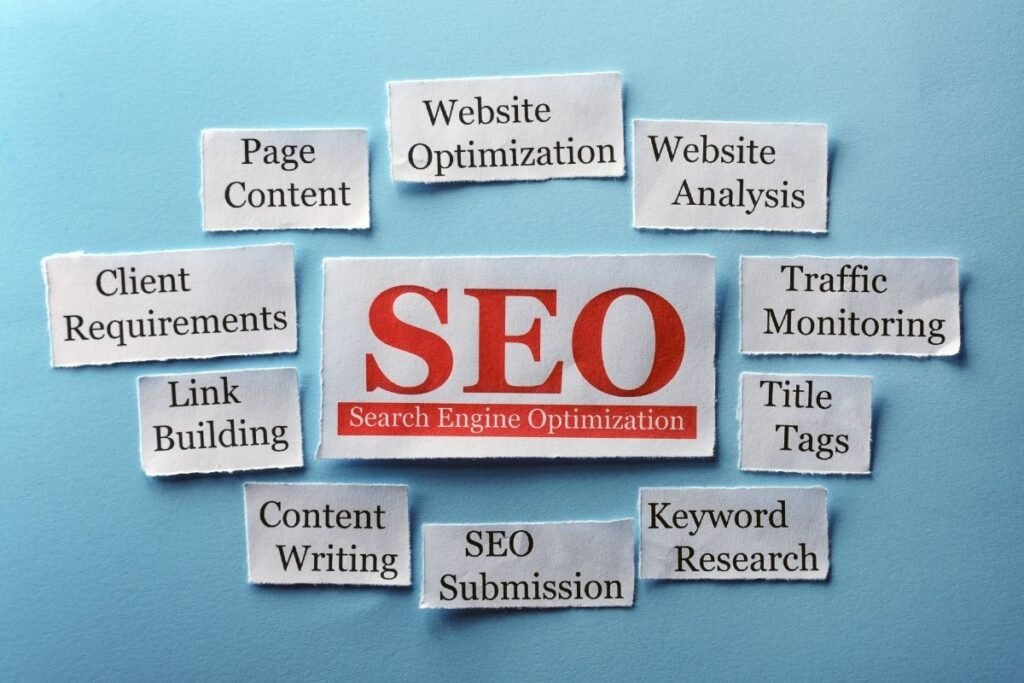
Why On-Page SEO Matters
On-page SEO matters because Google uses on-page signals to understand what your page is about. Good on-page optimization helps your page rank for target keywords.
On-page SEO also improves click-through rates from search results. Better title tags and meta descriptions get more clicks. On-page SEO improves both rankings and visibility.
The Complete On-Page SEO Checklist
This checklist includes 30 items organized by element type. Use this before publishing any page.
Title Tag Optimization
Your title tag is the most important on-page element. It appears in search results and tells Google what your page is about.
Also read: Digital Marketing Strategy That Actually Drives Business Results
Item 1: Create Unique Title Tags for Each Page
Write a different title tag for every page on your site. Never use the same title on multiple pages. Unique titles help Google understand each page separately.
Use your page management system to set a unique title tag for each page.
Item 2: Include Target Keyword in Title Tag
Put your main keyword in the title tag. Google uses the title to understand what the page is about. Place the keyword near the beginning of the title.
Use the keyword naturally. Don’t force it or overuse it. Make the title readable for humans first.
Item 3: Write Compelling Titles for Click-Through
Write titles that make people want to click. Titles that get clicks rank better because click-through rate is a ranking factor.
Use numbers, questions, or power words. Make people want to click your result over competitors.
Item 4: Keep Title Tags Concise
Keep titles between 50-60 characters. Longer titles get cut off in search results. Put important words at the beginning.
Test your title in Google search results to see how it displays.
Meta Description Optimization
Meta descriptions appear under titles in search results. They don’t directly rank but affect click-through rates.
Item 5: Write Unique Meta Descriptions
Write a unique description for each page. Never use the same description on multiple pages. Unique descriptions help Google understand each page.
Each page should have its own description reflecting what the page is about.
Item 6: Include Target Keyword in Meta Description
Include your main keyword in the meta description. The keyword will appear bold in search results when someone searches for it.
Use the keyword naturally early in the description. Don’t overuse it.
Item 7: Create Compelling Descriptions for Clicks
Write descriptions that make people want to click. Include what they’ll get from reading your page. Add a call-to-action.
Make people choose your result over competitors’ results.
Item 8: Keep Meta Descriptions Within Character Limits
Keep descriptions between 155-160 characters. Longer descriptions get cut off. Put the most important information first.
Test your description in search results to see how it displays.
Content and Keyword Optimization
Content is the most important on-page SEO element. Good content about your topic ranks better than thin content.
Item 9: Write Quality, Comprehensive Content
Write detailed, helpful content. Answer the question people searched for completely. Longer content ranks better for competitive topics.
Aim for 1,500+ words for competitive topics. For less competitive topics, 500-800 words can work.
Item 10: Target Primary Keyword Naturally
Use your main keyword naturally throughout the content. Use it 1-2 times per 1,000 words. Google needs to understand what your page is about.
Use the keyword naturally in sentences. Don’t force it or overstuff it.
Item 11: Use Secondary Keywords and Variations
Include related keywords and variations of your main keyword. This covers different ways people search for the topic.
Use semantic keywords and long-tail variations. This expands your coverage.
Item 12: Create Clear Content Structure with Headers
Organize your content with headers (H1, H2, H3). Headers break up content and help readers scan.
Use headers to organize content logically. Each section should have a clear topic.
Item 13: Use Keywords in Headers
Include keywords naturally in your headers. Headers are ranking signals. Don’t keyword stuff but use keywords where relevant.
Use keywords in subheadings naturally.
Item 14: Optimize Opening Paragraph
Include your primary keyword in the first paragraph. Google pays attention to early keyword placement. Answer the search query immediately.
Get the keyword in the first 100 words of your content.
HTML and Structure Optimization
Proper HTML structure helps Google understand your page. It also improves user experience.
Item 15: Create Compelling H1 Tag
Write a descriptive H1 tag that includes your main keyword. The H1 tells Google what the page is about.
Use only one H1 per page. Make it unique for each page.
Item 16: Use Proper Header Hierarchy (H1, H2, H3)
Organize headers logically. Use H1 for main topic, H2 for main subtopics, H3 for sub-subtopics. Don’t skip header levels.
Follow a logical structure that makes sense for the content.
Item 17: Optimize Image Alt Text
Write descriptive alt text for every image. Google can’t see images but reads alt text. Include keywords naturally in alt text.
Describe what the image shows. Use keywords where relevant.
Item 18: Add Internal Links to Related Content
Link to other related pages on your site. Internal links distribute authority and help readers find related content.
Use descriptive anchor text that includes keywords. Link to 2-5 related pages per 1,000 words.
Item 19: Use Descriptive Anchor Text for Links
Use descriptive text for your links. Don’t use “click here.” Use text that describes where the link goes.
Use keywords naturally in anchor text. Make links descriptive for users.
Item 20: Implement Schema Markup
Add schema markup to help Google understand your content. Schema markup can help your page show rich snippets in results.
Add LocalBusiness, Article, or other relevant schema markup.
Technical On-Page Elements
Technical on-page elements affect how search engines see and rank your page.
Item 21: Optimize URL Structure
Use a descriptive, keyword-rich URL. Keep URLs short and meaningful. Use hyphens to separate words.
Create URLs that describe what the page is about.
Item 22: Ensure Mobile-Friendly Design
Make sure your page works perfectly on phones. Most searches happen on mobile. Google prioritizes mobile-friendly sites.
Test your page on mobile devices.
Item 23: Improve Page Load Speed
Make your page load fast. Slow pages rank poorly. Optimize images, minimize code, use fast hosting.
Aim for under 3 second load time. Use Google PageSpeed Insights to check speed.
Item 24: Ensure Proper Heading Format (No H1 Skipping)
Don’t skip header levels. Go from H1 to H2 to H3 logically. Don’t jump from H1 directly to H3.
Follow proper header hierarchy.
Item 25: Use HTTPS and Security Signals
Use HTTPS (secure connection) on your site. Google favors secure sites. Install an SSL certificate.
Make sure your site has the lock icon showing it’s secure.
User Experience On-Page Elements
User experience affects engagement and rankings. Pages that deliver good experience rank better.
Item 26: Create Scannable Content with Short Paragraphs
Break content into short paragraphs. Keep paragraphs to 2-3 sentences. Use white space to make content readable.
Don’t write huge blocks of text. Make content easy to scan.
Item 27: Add Visual Elements (Images, Videos)
Add images and videos to break up text. Visuals increase engagement and time on page.
Use high-quality, relevant visuals that support the content.
Item 28: Include Clear Call-to-Action (CTA)
Tell readers what to do next. Include a clear call-to-action at strategic points in your content.
Make your CTA clear and compelling.
Item 29: Optimize for Readability
Write in clear, simple language. Use short sentences. Aim for grade 6-8 reading level.
Make your content easy to understand.
Item 30: Reduce Bounce Rate with Engaging Content
Make content worth staying for. Deliver on the promise of your title. Engage readers from the beginning.
Answer the search query completely. Make readers want to stay on the page.
On-Page SEO Checklist by Page Type
Different page types need different optimization approaches. Customize the checklist to your page type.
Blog posts focus on long-form content (1,500+ words), multiple headers, internal linking, and image optimization. Product pages focus on product information, images and videos, customer reviews, and clear call-to-actions. Service pages focus on clear service description, benefits, trust signals, and local SEO elements. Category pages focus on clear descriptions, organized lists, filters, and meta descriptions for browsing.
Adapt the checklist to your page type.
Common On-Page SEO Mistakes
Avoid these mistakes that hurt on-page SEO. The biggest mistake is duplicate titles and meta descriptions across pages. Each page needs unique optimization.
Other mistakes include: not using keywords, keyword stuffing, thin content, poor header structure, missing meta descriptions, broken links, poor mobile experience, slow page speed, missing alt text, and no call-to-action.
Avoid these mistakes and you’ll be ahead of most competitors.
On-Page SEO Tools
Use tools to help with on-page optimization. SEMrush provides comprehensive on-page analysis. Yoast SEO is a popular WordPress plugin for optimization.
Google Keyword Planner (free) helps with keyword research. Hemingway Editor helps check readability. Google PageSpeed Insights (free) checks page speed.
Quick On-Page SEO Checklist
Here’s the checklist to use before publishing any page.
Before Publishing: ✓ Unique title tag (50-60 characters) with primary keyword ✓ Unique meta description (155-160 characters) with keyword and CTA ✓ Comprehensive content (1,500+ words for competitive topics) ✓ Primary keyword in first 100 words ✓ Secondary keywords throughout ✓ Clear header structure (H1, H2, H3) ✓ Keywords in headers ✓ Unique H1 tag ✓ Alt text for all images ✓ Internal links to related content ✓ Short paragraphs for readability ✓ Visual elements (images/videos) ✓ Clear call-to-action ✓ Mobile-friendly design ✓ Fast page load speed ✓ SEO-friendly URL ✓ HTTPS/secure connection
Use this checklist before publishing every page.
Frequently Asked Questions About On-Page SEO Checklist
How important is on-page SEO for rankings?
Very important. On-page SEO is one of the most important ranking factors. Good on-page optimization is essential.
Do I need to optimize every item on the checklist?
Focus on high-impact items first (title, content, headers). Other items improve results but aren’t all essential.
How much should I focus on keywords?
Use keywords naturally 1-2 times per 1,000 words. Keyword optimization matters but natural language is more important.
Is keyword stuffing bad for SEO?
Yes. Overusing keywords unnaturally hurts rankings. Use keywords naturally.
How long should my content be?
Longer is better for competitive topics (1,500+ words). For less competitive topics, 500-800 words can rank.
Do I need schema markup?
Not essential but improves rich snippet display. Implement if you have time.
How many internal links should I include?
Include natural internal links when relevant. Typically 2-5 per 1,000 words.
What’s the best header structure?
One H1 per page, then organize with H2 and H3 headers logically. Don’t skip levels.
Should I use keywords in image alt text?
Yes, include keywords naturally. Prioritize describing the image for accessibility first.
How does page speed affect SEO?
Page speed is a ranking factor. Aim for under 3 seconds load time.
On-Page SEO Quick Start
Getting started with on-page optimization is simple. Use this approach.
Before Publishing:
- Write unique title tag (50-60 characters) with primary keyword
- Write unique meta description (155-160 characters) with keyword
- Create comprehensive content (1,500+ words for competitive topics)
- Organize with H1, H2, H3 headers
- Include primary keyword in first paragraph
- Add alt text to all images
- Add internal links to 2-3 related pages
- Ensure mobile-friendly design
- Optimize page speed
- Include clear call-to-action
Ongoing:
- Monitor rankings and traffic
- Update content quarterly
- Test and improve based on data
- Build internal linking strategy
Start with these steps before publishing.
Conclusion
On-page SEO checklist ensures nothing is missed before publishing. The 30 items cover all critical on-page elements.
Start with your title tag and meta description. Then optimize your content. Use this checklist before publishing every page to improve rankings.